Google rewrites 76% of title tags. Not a typo. A Q1 2025 study across 30,000+ keywords found that three out of every four title tags you write get partially or completely rewritten before they show up in search results. When Google rewrites, it keeps only 35% of your original words.
So when someone tells you product page SEO is about “writing good title tags” and “keeping meta descriptions under 160 characters,” they’re telling you to optimise something Google is going to change anyway.
That doesn’t mean title tags don’t matter. It means understanding why Google rewrites them, and how to write the ones it doesn’t touch, matters far more than hitting a character count.
We audit Shopify stores every week. 78% have missing or duplicate meta titles on their product pages. The ones that do have custom titles are usually targeting the wrong keywords. And almost none of them know that Shopify has two completely separate title fields that do two different jobs.
This is how we approach product page SEO. It’s not what most guides tell you.
Product Pages and Collection Pages Rank for Different Keywords
This is the single most important thing to understand before you touch a product page title tag.
Search any broad commercial keyword in your niche. “Men’s running shoes.” “Organic face cream.” “Leather crossbody bag.” The entire first page of Google will be collection and category pages from retailers. Not individual products.
Product pages rank for something different. Long-tail, product-specific queries. “Nike Air Zoom Pegasus 41 review.” “CeraVe moisturising cream 16oz.” “Blue merino wool crew neck sweater men’s.” Lower volume per keyword, but the person searching already knows what they want. They’re ready to buy.
We see store owners stuff broad commercial terms into their product page title tags all the time. “Men’s Running Shoes” as the title of a specific Nike Pegasus product page. That keyword belongs on the collection page. The product page should target the specific product name and its differentiators.
When we shifted a client’s strategy to properly separate collection page targeting from product page targeting (optimising collection pages for the commercial terms and product pages for the long-tail), non-branded organic traffic grew 3-4x in two months. All the gains went to product and category pages. Not blog content.
Every recommendation in this article follows from this distinction. Product pages need a long-tail keyword strategy, not a broad commercial one.
How Google Handles Your Title Tags
Most SEO guides will tell you to keep your title tags under 60 characters and include your target keyword. That’s fine as far as it goes. But it skips the part where Google ignores your title tag three-quarters of the time.
A study of 80,000+ title tags found that 61.6% get rewritten. The Q1 2025 data shows it’s accelerated to 76%. Google is deciding what your product page says in search results, not you.
Understanding how to write the titles Google keeps is worth more than any character-count formula.
How to Write Titles That Google Doesn’t Touch
Match your H1 to your title tag. This is the single most effective prevention. The same Zyppy study found that when the H1 and title tag align, rewrites drop to as low as 20.6%. On Shopify, your product title is the H1. If your SEO title says something completely different, Google rewrites it to match the H1 instead.
Stay in the 51-60 character range. This sweet spot has the lowest rewrite rate at 39-42%. Unchanged titles averaged 44.5 characters. And separately, titles between 40-60 characters had 33.3% higher click-through rates across 4 million search results.
Drop the brand name unless your brand IS the search query. Brand name removal accounts for 63% of all title tag modifications. Shopify appends ”– Store Name” by default. For most stores, that’s wasted characters that Google strips anyway.
Use dashes, not pipes or brackets. Titles with dashes get rewritten only 19.7% of the time. Pipes: 41%. Brackets: 77.6%. If you’re separating elements in your title tag, dashes are the safest choice.
Google measures in pixels, not characters. Desktop limit: 580-600px. Mobile: 475-500px. A “W” takes up much more space than an “i.” The 51-60 character range accounts for average widths, but if your product names are full of wide characters, go shorter.
Shopify Has Two Title Fields, and Most Store Owners Only Use One
This is the thing almost nobody explains. Shopify has two separate fields for every product:
Product Title is the H1 on the page. What shoppers see. Should be clean and customer-friendly. “Blue Merino Crew Neck Sweater.”
SEO Title lives under “Search engine listing preview” in admin. Becomes the <title> tag. What Google shows in search results. Can be different. “Blue Merino Wool Crew Neck Sweater – Men’s.”
The H1 sells to the person on the page. The meta title sells in the SERP. Different audiences, different jobs. But they need to be close enough that Google doesn’t see a mismatch and rewrite the title using the H1 instead.
Our formula for product page titles: lead with the specific product name, add one or two long-tail qualifiers, use a dash if you need a separator. Keep to 50-55 characters.
“Waterproof Hiking Boots – Gore-Tex Lined, Men’s” (49 characters). “Vitamin C Serum 20% – Brightening, Sensitive Skin” (50 characters). “Merino Wool Crew Neck – Blue, Men’s” (36 characters).
Meta Descriptions: Google Rewrites Most of Them Too
Google rewrites meta descriptions 63-87% of the time. And the part that surprised us: keeping your description within the recommended character limits does NOT reduce the rewrite rate. That same Ahrefs study of 192,656 pages found Google rewrote 61.46% of too-long descriptions and 63.69% of properly-sized ones. Essentially the same rate.
So why bother? Because when Google does use your description (and it does for a meaningful chunk of product pages with commercial intent), it shows up verbatim. And a well-written meta description with transactional signals (price, availability, shipping) is more likely to survive the rewrite than a generic one.
Display limits if you want them: 155-160 characters desktop, about 120 mobile. Cross-device safe zone: 120-158 characters.
For product pages, include: a specific differentiator (what makes this product worth clicking over the other 9 results), the price if it’s competitive (filters out window shoppers, attracts ready buyers), and a soft CTA (“Free NZ shipping,” “See all colours”).
“Handmade leather wallet with RFID blocking, 8 card slots, coin pocket. Full-grain Italian leather. $89. Free NZ shipping.” That’s 120 characters. Specific. Transactional. Worth clicking.
For stores with hundreds of products, hand-write descriptions for the top 20% by revenue. Then optimise descriptions for products ranking positions 11-30 in Search Console. Those are strike-distance keywords where a better meta description can lift CTR enough to push them onto page 1. Template the rest.
Product Descriptions: What Google’s Quality System Expects
Every guide says “write unique product descriptions.” We’re not going to rehash that. You know not to copy the manufacturer’s text. Here’s what most guides don’t tell you.
The Helpful Content system specifically evaluates product pages now
Since the December 2025 core update, Google’s Helpful Content system explicitly extends E-E-A-T into ecommerce. And the January 2025 Quality Rater Guidelines update specifically flags AI-generated product descriptions with little originality as “Lowest” quality.
What gets penalised: thin descriptions under 100 words, manufacturer-copied content shared across dozens of retailer sites, AI-generated generic descriptions that don’t add anything the manufacturer spec sheet doesn’t already say.
What gets rewarded: first-hand experience with the product (specific details only someone who handled it would know), information that genuinely helps a purchase decision (sizing guidance, material comparisons, real-world use cases), and supporting content like FAQs and buying guides.
FAQ sections are the highest-ROI content you can add to a product page
Adding a Q&A or FAQ section directly on product pages can deliver up to a 40% increase in search impressions, 126% increase in organic clicks, and in some cases up to 400% more organic traffic. The conversion impact is equally strong, with up to 75% improvement.
Q&A content naturally uses the exact language buyers search with. “Is this safe for sensitive skin?” “What size should I order if I’m between sizes?” “Does this work with [compatible product]?” These are real queries you’d never target intentionally, but they capture long-tail traffic that converts at a much higher rate than head terms.
Source 3-5 questions from Google’s “People Also Ask” for your product type. Keep answers concise, under 50 words. These qualify for FAQ schema, which makes them eligible for featured snippets, and 40.7% of voice search answers come from featured snippets.
Description length depends on the product, not an arbitrary target
Word count is not a ranking factor. Content depth is. Match length to product complexity.
For simple, impulse-buy products under $50 (accessories, basic apparel), concise bullet points focused on key benefits outperform long-form copy. For complex, high-consideration products (electronics, appliances, anything over $200), detailed descriptions up to 1,000 words convert better because buyers need more information before committing.
The sweet spot for most products: 300-400 words of substantive content. Not fluff. Not “this beautiful product is perfect for you.” Actual information: materials, specifications, sizing details, use cases, care instructions.
Customer reviews are SEO content

Reviews serve as continuous fresh content that signals to Google your product pages are active and updated. They generate natural long-tail keyword variations in language you’d never write yourself. And they provide E-E-A-T “Experience” signals: real buyers using the product is exactly what Google’s quality system looks for.
Google typically requires 5+ reviews before showing star ratings in SERPs, and star ratings improve click-through rates by 15-30%. Curate reviews that naturally contain your target keywords and feature them prominently. Not buried in a tab. Visible on the page.
Cover the semantic field around your product
Pages ranking in positions 1-3 show significantly higher entity density and entity variety than pages in positions 4-10. For product pages, this means going beyond repeating your primary keyword. Cover the semantic neighbourhood: materials, use cases, compatible accessories, brand context, performance specifications. If you sell a hiking boot, don’t just repeat “waterproof hiking boot.” Cover Gore-Tex, Vibram soles, ankle support, terrain types, break-in period, weight.
Content recognised as named entities is 50% more likely to appear in featured snippets and rich results. The more comprehensively you cover your product’s semantic space, the more surfaces Google can display your page on.
Image SEO: Your LCP Element and Your Visual Search Entry Point
You already know to add alt text. Good. The stuff most guides skip is more interesting.
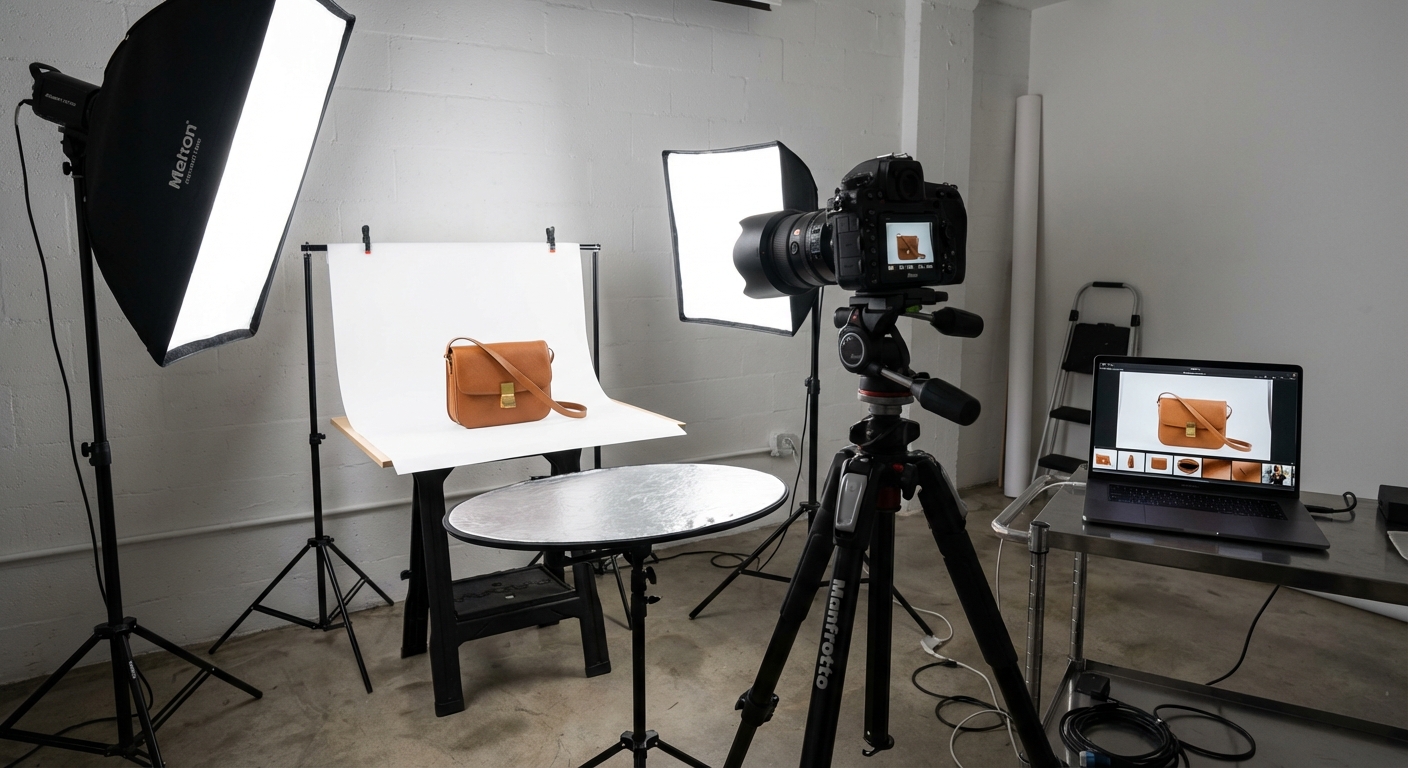
File naming matters and most stores ignore it. Rename before uploading. Google uses filenames as a relevance signal. “IMG_4521.jpg” tells Google nothing. “red-leather-crossbody-bag-front-view.jpg” tells it everything. Hyphens between words. Descriptive. Keyword-relevant.
Alt text basics that 80%+ of stores still get wrong: describe what’s in the image (“Women’s red leather crossbody bag with gold chain strap”), keep under 125 characters, include the product keyword naturally, don’t start with “Image of” or “Photo of.”
Your main product image is almost certainly your LCP element. Largest Contentful Paint is the Core Web Vital most Shopify stores fail. The median mobile LCP for Shopify stores is 2.26 seconds, dangerously close to the 2.5-second threshold. Stores with 8+ apps installed sit above 3.0 seconds. Unoptimised images account for roughly 38% of mobile page weight. Tell your developer: the main product image must load eagerly (not lazy-loaded), and it should be properly sized for the viewport rather than loading a 2048px image on a 400px mobile screen. Shopify’s CDN serves WebP automatically, so format isn’t the issue. Size and loading priority are.
Multiple images in multiple aspect ratios. Google recommends providing images in 16:9, 4:3, and 1:1 for maximum display flexibility across Shopping carousels and image search. Most stores provide one square image. More images in different formats means more surface area in Google.
Visual search is real and growing. Google Lens processed over 12 billion searches in 2025. Product images with clean backgrounds, good lighting, and multiple angles perform better in visual search. This is traffic most stores don’t even know they’re missing.
The Three Data Sources Controlling Your Product Visibility
This is the part nobody talks about. Google doesn’t just use your product page to determine what your product is and where to show it. It uses three data sources, and they don’t carry equal weight.
On-page content: what’s visible on your product page. Text, images, prices.
Structured data: your JSON-LD schema markup. The machine-readable version of your product information.
Merchant Center product feed: the data you send to Google Shopping.
The part most people miss: which source controls which output is not equal.
Your product title in free listing grids (the “Popular Products” carousel, the Shopping tab) comes directly from your Merchant Center feed. Not from your page title. Not from your schema. Your feed title.
When prices disagree across the three sources, Google defaults to the on-page visible price.
When these three sources tell Google different things (different names, different prices, different availability), Google either gets confused and picks the wrong data, or suppresses your product entirely. Consistency across all three is not optional.
What Shopify’s schema gives Google by default (and what’s missing)
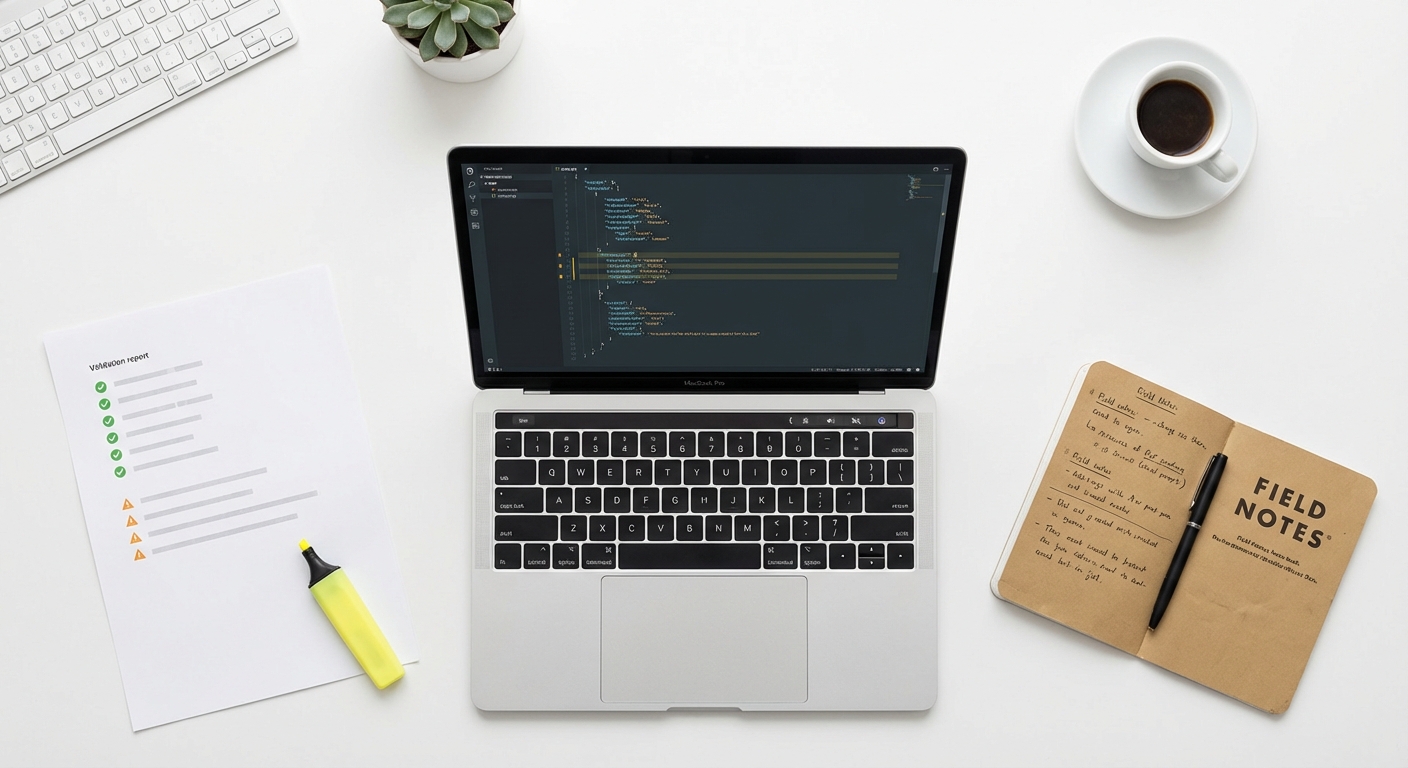
Shopify’s built-in structured_data filter outputs the basics: product name, description, image, URL, brand/vendor, price, currency, availability. For products with variants, it outputs ProductGroup schema with individual Product entries since July 2024.
What’s missing, and what you need for full rich result eligibility:
aggregateRating and review are missing. Without these, you don’t get star ratings in SERPs. Star ratings improve CTR by 15-30%. One controlled experiment by SearchPilot showed Product schema implementation alone delivered a 20% CTR increase within 30 days.
sku, gtin, and mpn are missing. These product identifiers are required for Google Shopping eligibility. Without them, your products may not appear in free product listings at all.
shippingDetails and hasMerchantReturnPolicy are missing. These are required for merchant listing rich results, the ones that show shipping cost and return window directly in search.
Have your developer add these. But be careful: the most common mistake we see is stores installing a third-party SEO app that injects its own Product schema alongside Shopify’s built-in schema. You end up with two conflicting sets of product data on the same page. Google doesn’t know which to trust. One source of truth. Always test with Google’s Rich Results Test.
There’s also a known bug: Shopify’s schema generates identical @id values for all product variants instead of unique identifiers. Google’s Rich Results Test detects only the first variant. Introduced in Dawn 15.0.2. If you sell products with variants, have your developer verify each variant gets a unique identifier in the schema.
Google Merchant Center and the Top Quality Store Badge
Google Merchant Center enables free product listings in the Shopping tab, the “Popular Products” carousel in regular search results, and Google Image product annotations. Most Shopify stores either don’t connect to Merchant Center at all or connect but don’t optimise their feed.
One case study that stuck with us: a clothing brand received 3,000 organic shopping visits from free Merchant Center listings. From paid shopping ads over the same period? Six visits. A 500x difference. For zero ad spend.
Product disapprovals from Merchant Center can silently hide your products from shoppers. Many merchants don’t even know it’s happening. If you haven’t checked your Merchant Center for disapprovals recently, do it today.
Your product page SEO and your Merchant Center feed are not separate activities. The feed title is what shows in free listing grids, not your page title. Google now recommends including the brand name in feed product titles (even though it strips brand names from organic title tags, and yes, the rules are different for each surface). Include GTINs and barcodes for full eligibility. And keep prices, availability, and product names consistent across your page, your schema, and your feed.
The Top Quality Store badge is a ranking lever most stores don’t know exists
Google scores stores on five categories: shipping experience (delivery time and cost), return experience (return window and cost), browsing experience (image quality, images per product, site speed), purchase experience (promotion disapproval rate, e-wallet support), and store rating (overall rating and review count).
Stores that achieve “Exceptional” overall earn a badge that boosts visibility in the Shopping tab and organic product modules. One store saw a 20% CTR increase overnight after earning the badge, with a 30% revenue increase within three months.
Check your score in Google Merchant Center Next under “Store Quality.” The browsing experience category has the most room for improvement for most stores: higher-resolution product images and faster page speed are the easiest wins.
What to Do With Out-of-Stock and Discontinued Products
Every ecommerce store deals with this. Products go out of stock, get discontinued, are seasonal. Most store owners either delete the product (losing all accumulated backlinks, internal links, and ranking signals) or leave it up with no stock and no alternative, which frustrates visitors and increases bounce rate.
This is the decision framework we use.
Temporarily out of stock (coming back): Keep the page live. Show “Notify me when back in stock” or allow pre-orders. Update the availability in your schema to OutOfStock or BackOrder. The page retains all its ranking signals and is ready to perform the moment stock returns.
Permanently discontinued with a replacement: 301 redirect to the replacement product. All link equity transfers to the new page.
Permanently discontinued without a replacement: 301 redirect to the parent collection page. The collection captures residual traffic, and the equity isn’t wasted on a dead end.
Seasonal products: Keep the page live year-round. Update the description to indicate the product returns next season. The page retains its rankings and doesn’t need to start from zero each year.
What NOT to do: don’t delete the product and let it 404. Don’t redirect to the homepage. Google treats that as a soft 404 and the equity evaporates. Don’t leave a dead “Out of Stock” page with no alternative.
When Product Variants Need Their Own Pages
Shopify treats variants (size, colour, material) as options on a single product page. Each variant gets a URL parameter (?variant=12345) but all canonicalise back to the base product URL. Variants cannot have their own unique title tags, meta descriptions, or H1s.
This is perfectly fine for size variants. Nobody searches “Nike Pegasus size 10” independently of “Nike Pegasus.”
It’s not fine when individual variants have meaningful search demand of their own. The test is simple: search the variant in Google. “Red leather handbag” versus “blue leather handbag.” Do the SERPs show different results? Is there enough search volume to justify a separate page? If yes, that variant deserves its own product listing, with its own title, description, images, and schema.
Common cases where separate products make sense: colours with distinct search volume (“black running shoes” versus “white running shoes”), different materials (“leather wallet” versus “canvas wallet”), different formulations (“vitamin C serum 10%” versus “vitamin C serum 20%”).
Google has rolled out individual grid items for specific product variants in free listings. Stores that properly implement ProductGroup schema with distinct variant data across the feed, schema, and content levels get better representation in Shopping results. Most stores only handle one of these three layers. Handle all three.
How to Diagnose Product Page Cannibalization
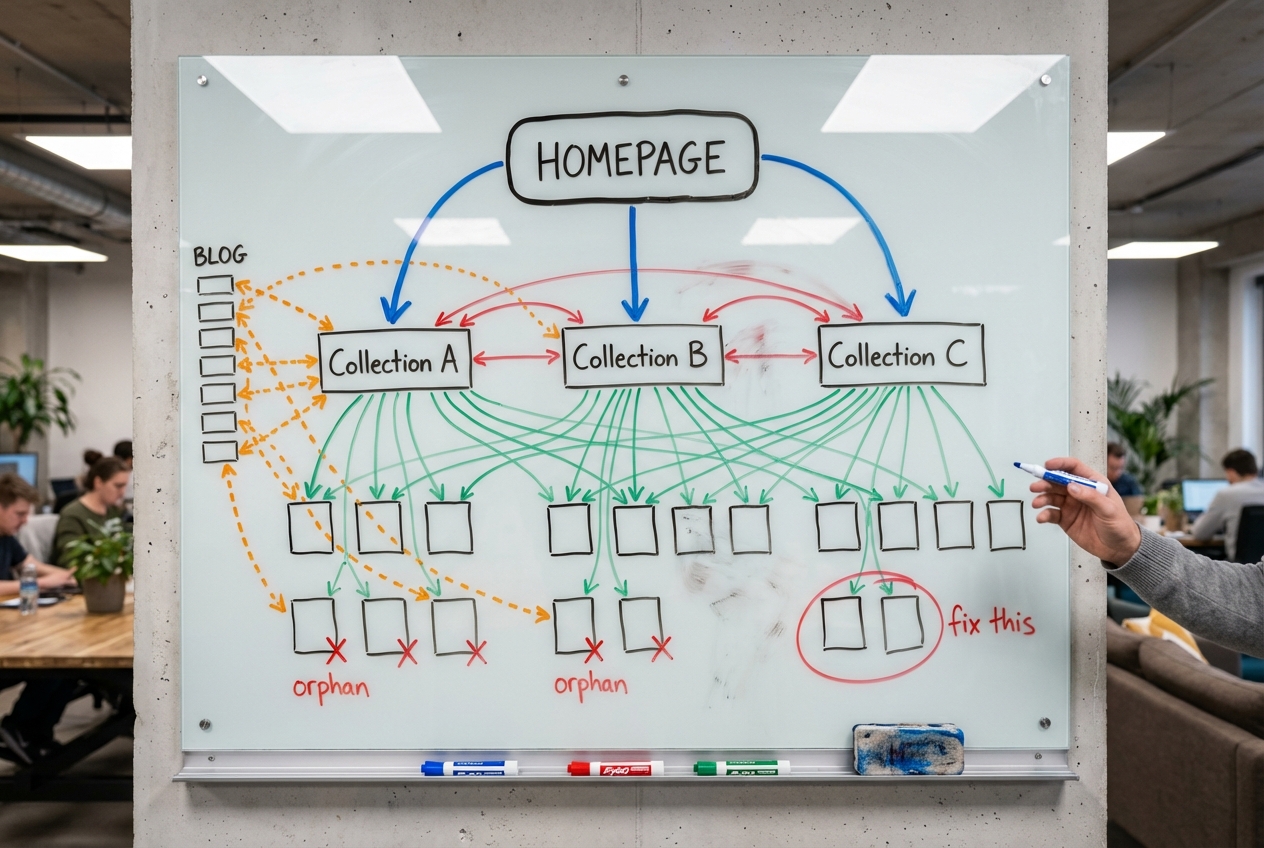
This catches out more Shopify stores than you’d expect. Your “Running Shoes” collection page and your “Nike Pegasus” product page both end up trying to rank for “Nike running shoes.” Neither wins because they split Google’s signals. We’ve covered how internal linking can reinforce rather than compete, but the diagnosis starts in Search Console.
Go to the Performance report. Filter by a specific keyword. Click the query, then switch to the Pages tab. If one URL receives more than 90% of impressions, you’re fine. If impressions split 60/40 or worse across multiple URLs, you have a cannibalization problem.
The fix: collection pages target broad, category-level keywords (“women’s running shoes”). Product pages target specific, long-tail keywords (“Nike Pegasus 41 women’s road running shoe”). Never optimise a product page and a collection page for the same keyword. Link from the product page TO its parent collection using the broad keyword as anchor text. This signals to Google which page is the authority for the broader term. Our SEO audit checklist covers cannibalization detection as part of the full review.
FAQ
How do I optimise my Shopify product page for SEO?
Start with the SEO title field. Most store owners never touch it. Set a unique SEO title (50-55 characters, matching your H1 closely), write a meta description with transactional signals (price, differentiator, CTA), add 300-400 words of unique product description, and ensure every image has descriptive alt text and a proper filename. Then check that your structured data is complete and consistent with your Merchant Center feed.
Does Google rewrite Shopify product title tags?
Yes. Google rewrites 76% of all title tags, including Shopify product pages. The most common change is removing the brand name (63% of modifications). The most effective prevention: match your H1 closely to your SEO title, stay within 51-60 characters, and use dashes instead of pipes or brackets.
Does Shopify automatically add structured data to product pages?
Yes, but it’s incomplete. Shopify generates basic Product schema (name, price, availability, brand). It does not include review/rating data, product identifiers (GTIN, SKU), shipping details, or return policy information, all of which Google requires for full rich result eligibility and free Shopping listings.
Should the product title and SEO title be the same on Shopify?
Close, but not necessarily identical. The product title (H1) should be clean and customer-friendly. The SEO title can include additional keyword qualifiers. But they should be closely aligned. When they diverge too much, Google rewrites the title tag using the H1 more than 50% of the time.
How long should a Shopify product description be for SEO?
300-400 words for most products. Complex, high-consideration items (electronics, appliances) benefit from up to 1,000 words. Simple impulse-buy items can be shorter with bullet points. Match description length to product complexity, not an arbitrary word count.
What happens to SEO when I delete a product on Shopify?
You lose all accumulated backlinks, internal links, and ranking signals. Instead of deleting, 301 redirect the URL: to a replacement product if one exists, or to the parent collection page if not. For seasonal products, keep the page live year-round and update the description.
How do I get my Shopify products to show up in Google Shopping for free?
Install the Google & YouTube Shopify app to connect your Merchant Center. Ensure product data is complete: titles, descriptions, GTINs/barcodes, high-quality images, accurate pricing. Add missing schema properties (shipping, returns, reviews) to your product pages. Check for product disapprovals in Merchant Center. They silently hide your products.
Product page SEO on Shopify is not about following a checklist of title tag lengths and meta description formulas. Google rewrites most of them anyway. It’s about understanding how Google evaluates your product pages across three data sources, giving it the structured data it needs for rich results and free listings, and targeting the right keywords: the long-tail, product-specific ones that your collection pages can’t capture.
The stores that get this right don’t just rank better. They show up in Shopping carousels, earn star ratings in SERPs, and capture traffic from surfaces most of their competitors don’t even know exist.
If you want us to audit your product pages and build an SEO strategy around what’s holding your store back, book a strategy call. We’ll pull up your Search Console data, check your schema, and show you exactly where the gaps are.
Keep Reading
- Shopify Collection Page SEO: The Overlooked Revenue Driver, collection pages rank for the commercial keywords product pages can’t
- Shopify URL Structure: Fix Duplicate Content, canonical URL issues directly affect your product page indexation
- Shopify Internal Linking Strategy: How to Build Authority Across Your Store, how to send authority to your product pages
- Shopify SEO Audit: 51-Point Checklist, the full audit we run on every client store
- Shopify Product Page: 12 Add-to-Cart Fixes, the conversion side of product page optimisation