Google now shows free product listings in over 80% of retail search results. Product grids in the Shopping tab, Google Images, Google Lens, YouTube. Your products can appear across all of them without spending a cent on ads.
The catch: Google decides which products to show based entirely on your product feed. The titles, descriptions, images, identifiers, and attributes you send through Merchant Center. Weak feed data means your products are invisible for the searches that matter, regardless of how good your on-page SEO is.
When we audit Shopify stores, the feed is one of the biggest missed opportunities we find. Weak titles, missing attributes, silent disapprovals, and a free listings channel that nobody has touched.
This is how we fix it.
Your Product Feed Controls Where Your Products Show Up
Google matches products to search queries through your feed data. Titles, descriptions, product attributes, images, identifiers. That’s what determines whether your product shows up when someone searches “merino wool hiking socks men’s” or “waterproof phone case iPhone 15.”
This applies to both free listings and paid Shopping. If you’re running Performance Max campaigns, feed-based placements account for roughly 90% of where your budget goes. But even without ad spend, your feed is what powers organic product visibility across Google’s surfaces.
A store with 500 well-optimised products in its feed will outperform a store with 5,000 products running on default Shopify titles and missing attributes. The first store is visible for thousands of relevant searches. The second is invisible for most of them.
Your Google Shopping feed deserves the same attention as your product pages and collection pages. Treat it like a one-time technical setup and it performs like one.
Product Titles Are the Single Biggest Lever You Have
Google displays roughly 70 of the 150 characters you’re allowed in a product title. Everything after that cutoff is invisible to shoppers scanning the Shopping carousel. Front-load the words that matter.
Most Shopify stores use their storefront product title as their Shopping title. These are two different jobs. Your storefront title sells to someone already on your page. “Summer Breeze Linen Shirt” works there. But in a Shopping carousel, that title needs to match a search query and win a click against ten other results. “Men’s Linen Shirt Short Sleeve Relaxed Fit Light Blue” does that job.
74% of Google Shopping titles don’t use the full 150-character limit. That’s 74% of advertisers leaving relevant search terms on the table.
Title Formulas That Work
The structure changes by product category. We use these:
Apparel: Brand + Gender + Product Type + Key Feature + Colour + Size. “Allbirds Men’s Tree Runner Sneakers Lightweight Washable Grey Size 10.”
Electronics: Brand + Model + Key Specs + Feature. “Sony WH-1000XM5 Over-Ear Noise Cancelling Wireless Headphones Black.”
Home and Furniture: Brand + Product Type + Material + Key Feature. “West Elm Tripod Floor Lamp Brass and Walnut Wood Mid-Century.”
Health and Beauty: Brand + Product Format + Volume + Key Ingredient. “The Ordinary Niacinamide 10% + Zinc 1% Serum 30ml Oil Control.”
Brand First or Category First?
If your customers search by brand name, lead with the brand. If you sell unbranded, private label, or lesser-known products, lead with what the product IS. “Merino Wool Crew Neck Sweater” reaches more people than “YourBrandName Crew Neck Sweater” when nobody is searching your brand yet.

The critical limitation on Shopify: you cannot set a separate Shopping title without a feed app or supplemental feed. Whatever title sits in your Shopify admin is what goes to Google. This is the single biggest reason stores outgrow the native Google & YouTube channel.
The Attributes Most Shopify Stores Leave Blank
Google can only show your products for queries it can match to your data. If your feed doesn’t include colour, material, size, or gender, you’re invisible for “blue leather crossbody bag” even if that’s exactly what you sell.
Merchant Center calls many of these attributes “optional.” In practice, they’re the difference between showing up and not showing up.
GTINs and barcodes. Products with correct GTINs perform 20-40% better in Shopping auctions than identical products without them. If you sell branded products from known manufacturers, GTINs are non-negotiable. For custom, handmade, or white-label products, set identifier_exists to false in your feed. One critical rule: submitting an incorrect GTIN is far worse than submitting none. Google cross-references against the GS1 registry. A wrong code triggers misrepresentation flags that can cascade into account-level issues.
Google product category. Don’t rely on Google’s auto-categorisation. Set it manually, as specific as you can get. “Apparel & Accessories > Clothing > Shirts & Tops > T-Shirts” not just “Apparel.”
product_highlight. Google is putting more weight on this one. Three to six bullet points covering your product’s selling features. Think of it as ad copy inside the feed. Stores that fill it in see measurably better CTR.
Colour, size, material, gender, age_group. Especially critical for apparel and accessories. Missing any of these can prevent products from appearing in free listings entirely. Shopify’s category metafields support these for products assigned to relevant categories, but you need to fill them in.
Images. Your primary image should be a clean product shot on a white or neutral background. Lifestyle and editorial images go in additional_image_link. And every variant needs its own assigned image. If you sell a jacket in four colours and only the black version has a variant image, someone searching “red leather jacket” sees a black one in the Shopping results. That’s a click you’ll never get.
Descriptions. Minimum 500 characters is what Google now recommends for full visibility. Plain text only. No HTML, no promotional language like “Buy now” or “Free shipping” or “Sale.” The description must match what’s on your landing page. Google cross-references them.
The Errors That Silently Kill Your Visibility
These are Shopify-specific problems, not the generic Merchant Center troubleshooting you’ll find in most guides.
Price mismatches from multi-currency. This is the most common disapproval we see on Shopify stores selling internationally. If you use Shopify Markets with IP-based geolocation (the default), your site dynamically switches currency based on where the visitor is located. Google’s Merchant Center crawler primarily uses US-based IPs. So when it crawls your product page, Shopify detects a US visitor and serves USD pricing, while your New Zealand feed lists NZD prices. Mismatch. Disapproval.
The fix is subfolder-based market URLs. Configure Shopify Markets to use URL paths like /en-nz/products/your-product for each market, and use those URLs in your Merchant Center feed. When the URL itself determines the market, Shopify serves the correct currency regardless of where the crawler is located. IP geolocation is no longer a factor.
If you’re using Shopify’s native Google & YouTube channel, it’s supposed to handle this automatically, but we’ve seen mixed results. Verify by checking what currency Google actually sees: go to Merchant Center, find a flagged product, and compare the crawled price against your feed price. Also watch for rounding mismatches. Shopify’s automatic currency conversion can produce prices like NZD $79.43 on the page while your feed rounds to NZD $79.00.
Variant pricing mismatches. Your feed must link to the specific variant URL, not the parent product page. If you sell a t-shirt where the small is $39 and the XXL is $49, and your feed links to the parent page, Google crawls it, sees $39 (the default variant), and disapproves the XXL entry that says $49.
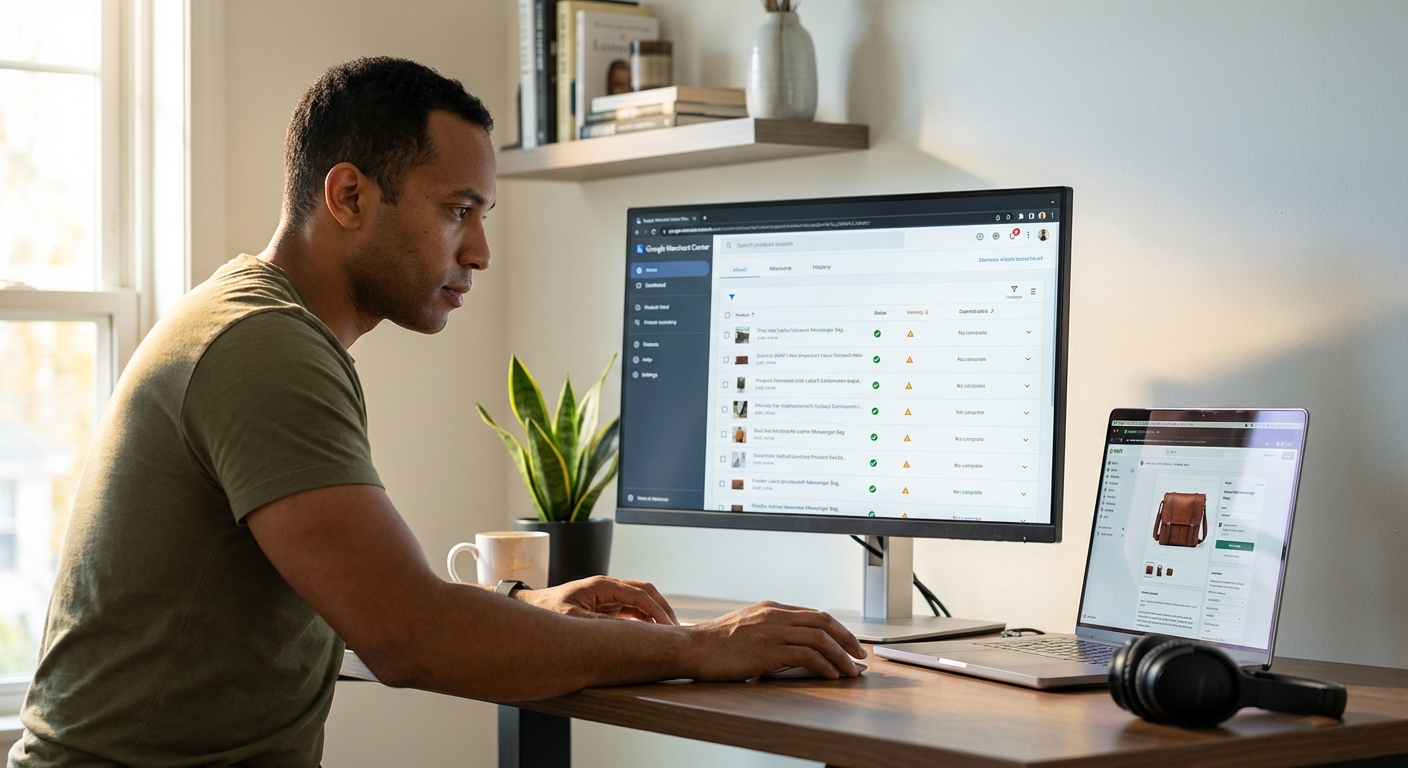
Missing product identifiers after native app changes. In 2024, Shopify’s Google & YouTube app removed gender, age group, and colour fields from its bulk editor without warning. Apparel stores saw mass disapprovals overnight. Products that were approved for months suddenly got flagged for missing required attributes. If you’re still on the native app and sell clothing, check these fields.
“Continue selling when out of stock” causing availability mismatches. This Shopify inventory setting lets customers order products even when stock hits zero. But if your feed says “in stock” while Google’s crawler sees an out-of-stock status on the page, it flags the mismatch. Align your feed’s availability logic with your actual inventory settings.
Variant images defaulting to the featured image. When no image is assigned to a specific variant in Shopify, the feed sends your featured product image for every variant. A customer searching “blue wool scarf” sees the image of the red one. They scroll past. Assign a dedicated front-facing image to every variant.
Google’s Free Product Listings: The Revenue Channel Most Shopify Stores Ignore
Every Shopify store connected to Merchant Center has access to Google’s free product listings. Product grids now appear in over 80% of retail search results, plus the Shopping tab, Google Images, Google Lens, and YouTube. Zero ad spend. The traffic is incremental too, it doesn’t cannibalise your paid campaigns. You’re capturing clicks you’d otherwise miss entirely.
Most Shopify stores have no idea this channel exists, let alone that they’re already eligible for it.

If you’re using the Shopify Google & YouTube app, you’re automatically opted into free listings. But “opted in” and “optimised” are two different things. The same feed quality principles from this article apply, and the stores getting real revenue from free listings treat their organic feed as a separate optimisation surface from their paid campaigns.
Annotations and Badges
Sale prices, shipping speed, return policies, and product ratings all appear as visual badges on your free listings. These annotations affect click-through rate more than most people expect. Sale price annotations alone lift CTR by roughly 8%, based on Google’s own Merchant Excellence data.
The Top Quality Store badge is worth pursuing. Google scores your store on shipping experience, return experience, browsing experience (image quality, site speed), and purchase experience. Stores that hit “Exceptional” earn a badge visible on their free listings. No amount of ad spend gets you this badge. It’s earned through operational quality, and you can check your current score in Merchant Center under “Store Quality.”
Free Listings Feed Into AI Search
AI search tools like ChatGPT, Perplexity, and Google’s AI Mode are pulling product recommendations from the same data sources that power Google Shopping. Your feed is doing double duty now. The product data you send to Merchant Center doesn’t just power Shopping listings, it’s increasingly what AI assistants reference when recommending products. Stores with clean, complete feeds are the ones showing up across these surfaces.
When to Move Beyond Shopify’s Native Google Channel
The native Google & YouTube app works for basic syncing when you’re under 500 products on a single channel. Beyond that, it becomes a bottleneck: no title optimisation, no custom labels for campaign segmentation, no supplemental feed support, and no multi-channel capability.
Here’s the decision framework we use:
| Store Profile | Best Fit | Price | Why |
|---|---|---|---|
| Under 100 products, Google only | Native channel | Free | Covers the basics |
| 100-500 products, 1-2 channels | Simprosys | ~$5/mo | Strong feed rules, multi-currency support, great value |
| 500-5,000 products, serious optimisation | DataFeedWatch | ~$64/mo | Title A/B testing, advanced rules, ML error detection |
| Enterprise or fully managed | Feedonomics | Custom | Full managed service with account managers |
What to look for in any feed app: the ability to write separate Shopping titles (independent from your storefront), custom label automation for segmenting products by margin or seasonality, supplemental feed support, and Shopify Markets compatibility for multi-currency feeds.
Worth knowing: supplemental feeds are an underused workaround even if you stay on the native channel. A simple spreadsheet uploaded to Merchant Center can override any attribute from your primary feed (titles, GTINs, custom labels, categories) without changing anything in your Shopify admin. The id column in your spreadsheet must match your primary feed exactly.
Your Feed Is a Marketing Asset
Most stores set up their Google Shopping feed during the initial launch and never revisit it. The stores that treat it as an ongoing optimisation surface, the same way they’d treat a product page or a landing page, consistently outperform on clicks, CPCs, and revenue.
Titles are the fastest win. Fixing disapprovals is the second. Filling in missing attributes opens up searches you’ve been invisible for. And free listings give you a revenue channel that costs nothing to maintain once the feed is clean.
If Performance Max isn’t delivering what you expected, look at your feed before you touch your campaign settings. The data going in determines the results coming out.
If you want us to audit your Google Shopping feed and show you where the gaps are, book a strategy call. We’ll pull up your Merchant Center, walk through the disapprovals, and map out what’s costing you clicks.
FAQ
How often should I update my Google Shopping feed?
If you’re using a feed app like Simprosys or DataFeedWatch, changes to your Shopify inventory and pricing sync to Merchant Center automatically. You don’t need to manually refresh anything. What matters is that the sync frequency is set high enough: daily is the minimum, and if you run flash sales or have fast-moving inventory, make sure your app is set to sync every few hours. Google requires a feed refresh at least every 30 days, but stale data erodes your Merchant Center trust score well before that.
Do I need GTINs for Google Shopping?
For branded products from known manufacturers, yes. Products with correct GTINs perform 20-40% better in Shopping auctions. For custom, handmade, or white-label products, set identifier_exists to false in your feed. Never submit a GTIN you aren’t certain is correct. An incorrect identifier is worse than a missing one.
Are Google’s free product listings worth it for Shopify stores?
Yes. Free listings appear across Search, the Shopping tab, Google Images, Google Lens, and YouTube. They add incremental revenue without cannibalising your paid campaigns, and the ROI is infinite because the traffic is free. If your products are already in Merchant Center, the setup cost is near zero.
Why are my Shopify products getting disapproved in Google Merchant Center?
The most common Shopify-specific causes: price mismatches from multi-currency settings (Google’s crawler sees the wrong currency on your landing page), missing product identifiers (GTIN, gender, age group), variant images not assigned to individual variants, and availability sync delays between your inventory settings and your feed.
Should I use Shopify’s native Google channel or a third-party feed app?
The native app works for simple setups under 500 products on a single channel. Once you need separate Shopping titles, custom labels for campaign segmentation, or multi-channel feeds, switch to a dedicated feed app. The inability to optimise titles independently from your storefront is the most common tipping point.
Keep Reading
- Shopify Product Page SEO: Title Tags, Meta Descriptions and H1s That Rank, your product page data quality directly affects your feed quality
- Shopify Product Page: 12 Add-to-Cart Fixes, what converts on the page should match what’s in the feed
- Shopify Collection Page SEO: The Overlooked Revenue Driver, collection structure affects how your products are categorised in Google Shopping
- Shopify SEO Audit: 51-Point Checklist, the full audit we run on every client store including Merchant Center review